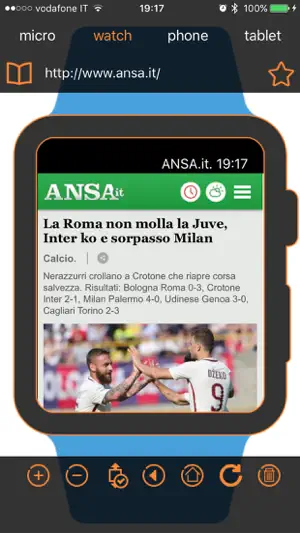
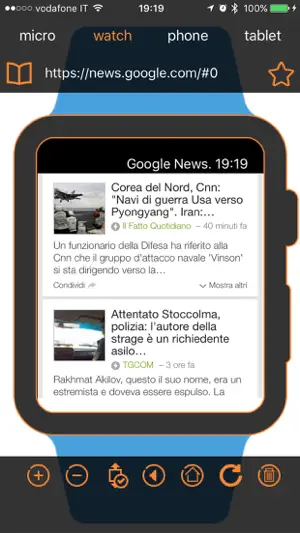
Features: - Pinch, Zoom, Set the starting point from the smartphone - Choose the size of Browser - Choose your favorite website to watch - Scroll the page up and down with your watch - Auto Refresh in background (keep the application open on the smartphone) - Update only if there is new content available - Reload From Apple Watch - Improved Glance Interface
- Push Notification - Force Reload - Favorites Management - Force Height Settings - Tutorial with Random Image - Directly from the watch you can browse the history and pick website - Directly from the watch you can speach the website url to be loaded like www.facebook.com - Navigation of WebSite Links - Notification Center Widget - https certificate support
Please enable push notifies to allow the application communicate with the watch and preload website in background.
Video Tutorial: https://youtu.be/JRVg4ZrNqf4
To enable the HTTPS authentication you need to do the following steps: 1) Export your certificate to PFX format with password as the domain name: example https://www.xiaprojects.com will be www.xiaprojects.com 2) Rename this PFX file as www.xiaprojects.com.webwatch 3) Mail it to yourself 4) tap and hold on the file you will see WebWatch popup 5) Import into WebWatch 6) Navigate on your https:// secure website
レビュー
Trouble on my watch About my applewatch series 3, watch's preview area displays nothing. Please advise me.
Apple Watch単独では使えませんので注意。 iPhone側のアプリから先に開いておいて、 Apple Watch側で表示ができるというだけのアプリ。 例えばグーグルの検索画面を出しておいても、 Apple Watch単独での検索と表示は全くできません。検索窓に文字入力が一切できませんから。 音声入力でもね。 表示されているWebサイトのリンクも押せません。









 1.0 (評価数 : 5)
 アプリの名称で Google検索
 App Storeでダウンロード